
Remote Deposit Capture
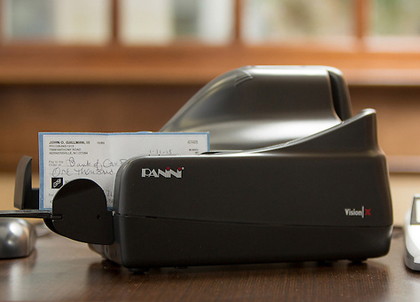 Thanks to Bank of Oak Ridge, you can finally eliminate all of those inconvenient, costly and time-consuming trips to the bank to make daily and weekly deposits. Our innovative Remote Deposit Capture Program makes it simple for businesses of all sizes to deposit one or more checks without ever leaving the office!
With the Remote Deposit Capture Program, all you need is a computer, our secure scanner and internet access, and from your desk you can quickly capture electronic images of the checks you wish to deposit and make secure electronic deposits into your checking account.
Here’s How It Works:
Step 1: Open our Remote Deposit Capture Program on your desktop and run your checks through the scanner that Bank of Oak Ridge provides.
Step 2: Exact images of both the front and back of each check are created. These images are then transferred electronically to Bank of Oak Ridge for deposit into your account.
Step 3: The Remote Deposit Capture Program automatically posts deposits to your account. It also records and stores all printed data on each check, including the account name, address, check date and check amount.
Advantages:
- Increased Productivity
- Payroll Savings
- More Efficient Cash Management
- Green Way to Bank
For more information, call Client Connect at 336-644-9944, use our online contact form, or stop by one of our convenient Triad office locations.