Security Center Bulletins
Empower yourself with fraud prevention education by reading through our most recent Security Center Bulletins.
Click below to open a PDF in your browser:
 |
 |
 |
 |
Bank of Oak Ridge Tools for Protecting Your Assets
Empower yourself to safeguard your personal information by utilizing these features – most of which are offered at little-to-no cost.

Advanced Fraud Monitoring
Our systems continuously monitor for unusual activity

Secure Online & Mobile Banking
Industry-leading encryption protects your information

Card Controls
Turn your debit & credit cards on or off instantly

Account Alerts
Stay informed with real-time alerts for account activity

Local Support
Our team is here to help if you suspect fraud or need guidance

e-Statements
Reduce mail theft by having your statements sent directly to your email

Zelle
Send money safely and securely to friends and family

ID Theft Protection
Get added peace of mind with protection for you and your family

Business Protection
Multiple fraud prevention tools to help manage your risk
Take action with these quick tips
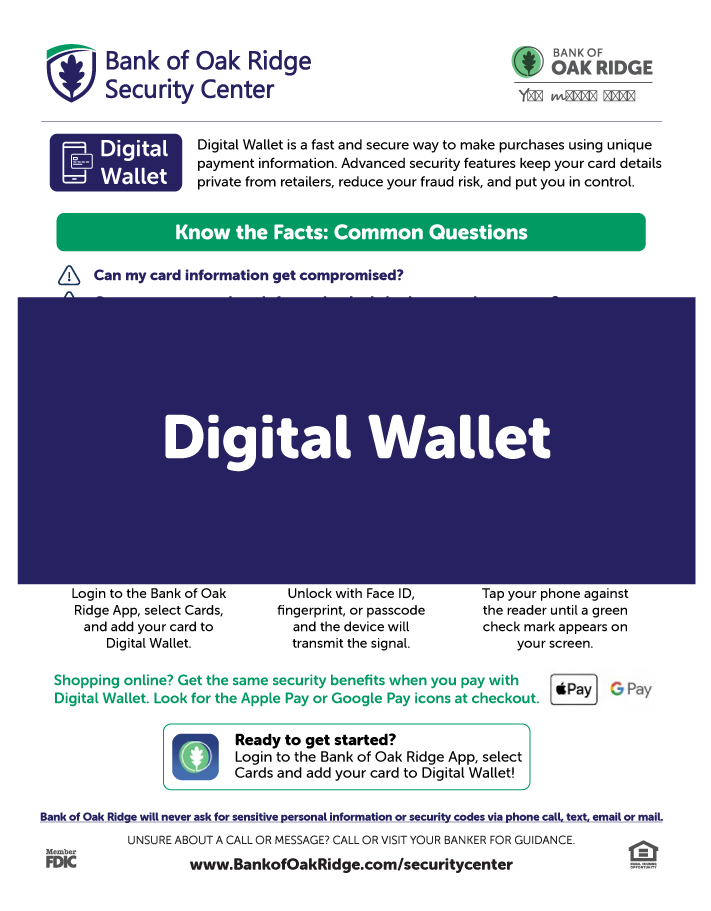
Know the Facts: Digital Wallet
Digital Wallet is a fast and secure way to make purchases using unique payment information. Advanced security features keep your card details private from retailers, reduce your fraud risk, and put you in control.
Hides your card details: It generates a unique and temporary card number and sends encrypted payment information to point-of-sale devices without the actual credit card number being transmitted.
How this protects you: The temporary number is only good for that transaction, so if hackers and scammers manage to intercept that number, they won’t be able to use it to make purchases. No party will ever have the actual card number or details in their records.
Only works with Multi-Factor Authentication: It requires Multi-Factor Authentication (MFA) for every transaction. Examples of MFA include facial recognition (Face ID), fingerprint verification, or a PIN or passcode.
How this protects you: Adding the extra layer of authentication protects your identity and reduces the risk of fraud. If your device is lost or stolen, your personal information in digital wallet are unable to be accessed.
Contactless is safer: It is a contactless payment method that uses Near-Field Communication (NFC) Technology that only “reads” the card when you are in close proximity to the reader.
How this protects you: Card swipers and readers can be compromised with skimming devices, making contactless payment methods more secure for consumers.
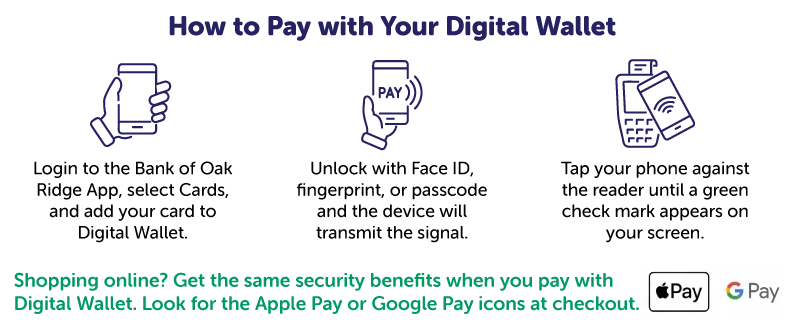
Ready to try it out? Login in the Bank of Oak Ridge app, select cards, and add your card to Digital Wallet!
The Importance of a Strong Password
A strong password includes a unique combination of letters, numbers, and symbols. You should have a different one for your email and your online banking accounts, because fraudsters can systematically guess commonly used passwords across different accounts.
Should you update your Bank of Oak Ridge password?
Ask yourself these questions to find out.

If you answered no to either one, take a minute right now to:
- Create a strong & unique password by combining random uppercase and lowercase letters, numbers and symbols. See below for some tips and make sure it’s different from passwords you use elsewhere.
- Login to your Bank of Oak Ridge account and update the password by clicking on profile then password.
Now you’re one step closer to keeping your account and information secure. Way to go!
Why is it important?
Passwords function as digital gatekeepers, and if compromised, they can give scammers access to sensitive personal or professional information.
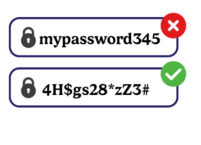
Some passwords are easy for others to guess, especially if they include number sequences such as 12345 or 246810, and dictionary words, such as mypassword, cheetah, librarian and similar.
A strong password is made of up of random uppercase and lowercase letters, numbers, and symbols, such as !@#$%^*. The longer the password, the harder it is for someone to guess it or use a program to crack it.
A strong password will protect you from:
- Phishing attacks – tricking users into revealing their passwords through fake emails or websites
- Data Breaches – using leaked information from one service to access others
- Brute-Force Attacks – systematically guessing passwords until the correct one is found
- Password Spraying – trying commonly used passwords across different accounts
Using A Password Manager
A password manager is a secure encrypted electronic vault, designed to store and organize your passwords across all your devices. It comes with a password generator tool, to help you create strong and randomized passwords. A password manager simplifies your login experience by securely logging into your accounts for you.
Visit this link for more information from the Secret Service
Stopping Payment Fraud – Remain Calm and Ask Us!
Peer-to-peer payment apps and services like Zelle, Cash App, Venmo, and Apple/Google/Samsung Pay are growing in popularity because they are fast and easy – but scammers are taking note! It’s important to always remember that payments made through these apps and services are not protected in the same way that credit card purchases are. Once you send the money, it’s gone, and very unlikely that you will get it back.
Our top tip is to never send money through these apps to someone that you don’t know and trust, and to think twice before sending money for a too-good-to-be-true offer or for a purchase where you can’t be guaranteed that you will receive the item. If you have any questions about whether you should pay someone you don’t know through an app like this, please call us for advice at (336) 644-9944. We’re here to help!
Here are some additional tips to help you send money safely with Zelle®:
- Make sure you have the correct email or US mobile phone number for your recipient. If you aren’t sure, ask! It’s easy for people to change phone numbers, so double-check that your friend hasn’t updated theirs.
- Know the options you have for sending money. If you’re ordering something and don’t know the person or can’t guarantee you’ll get what you expect, you might want to consider an alternate payment method, like a credit card. Many credit card companies offer purchase protections. Zelle® does not.
- One common scam involves someone offering you a great deal, like front row seats at a concert, who then takes the money and runs. Because you authorized the payment, this transaction is not considered fraud and is generally not covered by financial institutions. You may not be able to get your money back.
- Think of Zelle® like cash. If you wouldn’t risk sending a stranger a $100 bill, don’t use Zelle® to do the same.
- Another common scam involves someone sending you an email, text, or even a call, claiming to be from your financial institution. While the phone number may look like it’s coming from us, be on the alert if they ask for personal information like usernames, passwords, or verification codes over the phone to “fix” a problem. We will also never instruct you to send money with Zelle®, to yourself or anyone else. If you receive one of these calls, remain calm. Scammers want you to feel nervous or alarmed because you’re more likely to do what they want. Hang up or delete the text, and call us directly at our number you know to be legitimate – (336) 644-9944.
If you follow these guidelines, Zelle® is a fast, safe, and easy way to send money to people you know and trust.


With so many scam types and tactics, it can be hard to keep up.
One of the most common tactics that scammers use is tricking you into thinking you’re talking to a real employee and getting you to provide sensitive personal information. A call or text may show it’s coming from Bank of Oak Ridge, but it could be a scammer on the other end. If the caller or text asks you for sensitive personal information, sends you a link asking you to login to online banking, or asks for a security code or PIN number, hang up or stop communicating immediately and call us at (336) 644-9944.
What do we mean by sensitive personal information?
- Full Social Security number
- Online banking username and password (we may ask for your username but will never ask for your password)
- Full account or card numbers
- PIN number
- Verification codes
- Mailing or physical address
If someone asks for your FULL number, please hang up and call us back by typing the number in directly. We will only ever ask you to verify the last 4 digits of any sensitive number. We’d rather you hang up on us and call back than become a victim of fraud!

There are many red flags that can provide clues that the person you’re communicating with might be a scammer.
Oftentimes the best sign of a red flag is a feeling that something seems weird. If you feel unsure, STOP communicating with the potential scammer and call us for guidance. We’re here to help you!
Some common red flags to look for:
- Asking for full numbers – your full card, social security, or account number
- Asking for login details – your username, password, verification code, or pin number. We may ask for a username but we will never ask for your password.
- Asking you to purchase gift cards – no reputable source would request payment through gift cards
- Asking you to purchase cryptocurrency – no reputable source will request payment through Bitcoin or Ether (associated with Ethereum)
- Insisting that you must send payment with urgency – scammers rely on a sense or urgency or threat to get you to act without thinking
- Caller or texter identifies themself as from “the fraud department” and proceeds to ask for full numbers

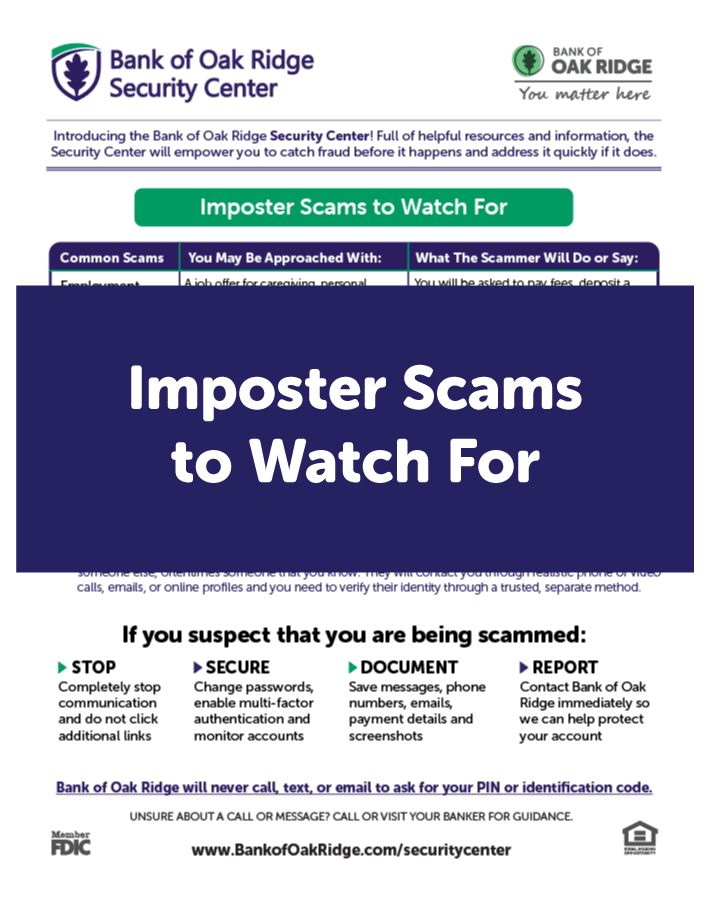
Imposter scams are one of the fastest growing scams, with government imposter scams leading the way.
Check out our September bulletin:
Read more at these helpful links:
- How to Avoid Imposter Scams – FTC
- Government Imposter Scam Infographic – FTC
- Avoid Imposter Scams – Federal Elder Justice Coordinating Council
- How to Spot, Avoid, and Report Imposter Scams – FTC

Resources to Dig Deeper
Below are some articles and resources that will help you stay educated on all the latest developments in fraud tactics and how to protect yourself:
Government websites:
- FDIC Consumer Resources
- Health Insurance Marketplace Fraud
- IRS Tax Scams/Consumer Alerts
- Federal Trade Commission Scam Alerts
- Report Fraud to the FTC
Helpful articles:
- Scammers Pretend to be your Utility Company – Federal Trade Commission
- Deepfakes, Scams, and AI Voice Fraud: How to Verify if a Call, Video, or Email is Real
- What to Know About Cryptocurrency and Scams
 Advanced Fraud Monitoring – What Happens Behind the Scenes

Bank of Oak Ridge relies on an array of automated background tools to protect your account and fight fraud in real time:
- Merchant Risk Screening: Automatically flags or restricts purchases at high-risk stores and websites known for frequent fraud.
- Dark Web Surveillance: Scans illicit online marketplaces for compromised account details or stolen card numbers, alerting security teams before fraudulent charges occur.
- Real-Time Text Alerts: Sends immediate SMS notifications when a purchase triggers suspicion (such as an unexpected location or unusual amount) so you can confirm or block the charge instantly.
- Suspicious Activity & Payment Monitoring: Analyzes incoming and outgoing transactions—including digital payments and online bill transfers—for strange patterns, unexpected transfers, or potential money laundering.
- Multi-Layered Defense: Combines inputs from multiple specialized security systems so that transactions are continuously cross-checked behind the scenes.