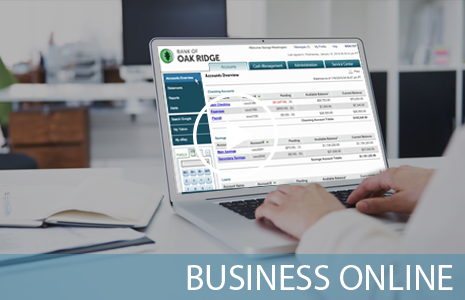
Internet Banking/Bill Pay

With Internet Banking , you can easily manage your business accounts and cash flow online 24 hours a day, 7 days a week. There is no software to install, and you control all user access and security features. For added convenience, you can download all transaction history into Quickbooks and many other accounting packages. Depending on the Internet Banking package you choose, your business can:

View Accounts, Transactions & Reports - You can view current day balance and transaction history on all of your deposits, including checking, savings, money market accounts and certificates of deposit, as well as your loan accounts. Through Internet Banking, you can also view your current statement online and create reports on certain accounts by date ranges and check numbers.

Transfer Funds and Place Stop Payments - through Internet Banking, you can easily transfer funds between your Bank of Oak Ridge accounts. You can also place stop payments of issued checks.

Initiate ACH Requests* - ACH gives you the hands-on ability to make ACH transfers for payroll, vendor payments, as other recurring types of payments. In addition, instead of calling Bank of Oak Ridge to request a wire transfer, you can simply initiate a wire transfer online.

To enroll:

  1. Click here to open the online Internet Banking enrollment form. Once you complete the online form we will email your user name, and send your password and instructions via regular U.S. mail. Your password and login ID number will be forwarded to you within seven working days upon receipt. Once you login to Internet Banking, click the Bill Payment button to automatically enroll in Bill Payment.
  2. Or drop by or contact one of our convenient locations.

Need your Internet Banking questions answered by a real person? Just call our Internet Banking Specialist at (336) 662-4819 during our convenient weekday and Saturday office hours!

*additional fee required